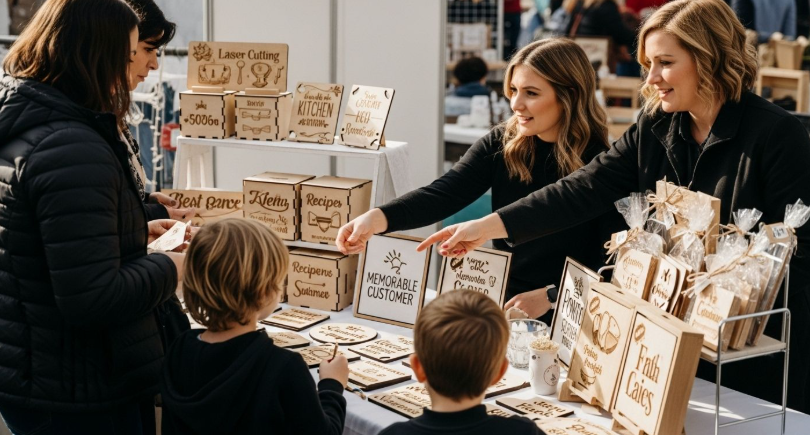
Selling at an arts and crafts fair isn’t just about beautiful work—it’s about managing payments, inventory, and promotion while you’re on your feet all day. Many makers still juggle cash boxes, paper notebooks, and last-minute social posts, which leads to stress and missed sales. With a few carefully chosen digital tools, you can turn your booth into a smooth mini retail operation without losing the handmade feel. The right setup saves time, captures more revenue, and helps you stay connected with customers long after the fair tents come down.
1. Mobile POS Systems: Make Every “I Love This!” a Completed Sale
A reliable mobile point-of-sale (POS) system is the foundation of a modern craft booth because it lets you accept tap, chip, and mobile wallet payments from a phone or tablet. Tools like Square or Stripe Terminal give you compact readers, intuitive apps, and quick deposits, so you’re not relying on cash-only sales. These systems also let you build a simple product catalog with photos and prices, which speeds up checkout and reduces mistakes. To get ready before your next fair, create a checklist:
- Add every product as an item with clear names and prices.
- Run a test transaction to confirm payouts and receipts work.
- Enable offline mode if your POS supports it, in case the venue Wi-Fi is overloaded.
On fair day, keep your device charged with a power bank and consider a second reader as backup so you never miss a sale due to a dead battery or a finicky connection.
2. Inventory & Product Catalog Apps: Know What’s Selling in Real Time
Arts and crafts fairs move fast, and it’s easy to lose track of which colors, sizes, or styles are actually selling. Inventory apps—whether standalone or built into your POS—help you see what’s moving in real time and what’s still sitting in your bins. This lets you restock intelligently between fair days and cut back on items that take up space but don’t convert. Before the season, set up a basic product catalog that mirrors the way shoppers think, not just how you make the work. Then use a simple routine at each event:
- Start the day by confirming quantities for each item in your app.
- Update stock during slow moments instead of waiting until you get home exhausted.
- After the fair, export a quick report broken down by product, color, or size.
Over a few shows, patterns emerge that guide your making schedule—so you spend more time on your bestsellers and less on pieces that rarely leave the table.
3. Visual Planning Tools for Booth Layout & Branding
Booth layout is a silent salesperson, and digital planning tools make it much easier to refine before you haul anything into a venue. Simple design or whiteboard apps let you sketch table layouts, display heights, and sign placements to create a cohesive, high-impact presentation. You can photograph your actual mockups at home, then annotate them to remember which risers, shelves, and props you used. To make this process effective, treat booth planning like a mini design project with a few key steps:
- Draw or photograph at least two layout options (for corner and inline booths).
- Mark “hero zones” where your most eye-catching pieces will live.
- Note where storage bins and packing supplies will hide but remain accessible.
Save these mockups in a shared cloud folder so you can tweak them between events, and build a reusable packing list from them. Over time, you’ll evolve a booth layout that feels like a tiny pop-up gallery, not a random table of stuff.
4. Social Media & Scheduling Tools: Promote Before, During, and After the Fair
Many buyers discover artists on social media and then decide which fairs to attend based on who will be there. Scheduling tools connected to Instagram, Facebook, or TikTok help you promote without having to post in real time while you’re trying to wrap mugs and make change. Plan a simple content rhythm for each event and batch your posts. For example, you might:
- Post a “save the date” a week before with event details and a teaser photo.
- Share a work-in-progress reel two or three days before the fair.
- Schedule a booth-tour video to go live shortly after the fair opens.
During the show, take quick photos of popular pieces and later turn them into “back in the studio” posts that invite preorders or custom requests. This closes the loop between in-person energy and ongoing online sales.
5. Email & SMS Tools: Turn One-Time Buyers into Repeat Collectors
Social media algorithms change constantly, but an email or SMS list is a direct line to your fans. Lightweight tools like Mailchimp or similar platforms make it simple to set up a sign-up form, embed it on your site, and send attractive updates. At the booth, you can display a QR code that leads to your list or use a tablet where visitors can enter their info. To keep this manageable, design a simple communications plan rather than sending random blasts. Consider:
- A monthly “studio notes” email with new pieces, upcoming fairs, and a behind-the-scenes story.
- Occasional launch messages for limited-edition drops or seasonal collections.
- A gentle follow-up after major fairs thanking visitors and sharing a recap.
When people join, make it clear what they’ll receive and how often, so your list feels like a curated club rather than just more noise in the inbox.
See also: The Rise of Chatbots: Enhancing Customer Service Through AI
7. FAQ: Card Design for Your Arts and Crafts Fair Booth
Printed cards can quietly do a lot of heavy lifting for your arts and crafts booth when they’re designed with intention. They might act as business cards, mini product story cards, care instruction inserts, or small thank-you notes slipped into each bag. Good card design connects your physical display to your online presence and helps shoppers remember you long after the fair. Use the questions below to make your cards feel like part of your creative practice, not an afterthought.
1. What should I focus on first when designing cards for my booth?
Start with clarity: your name, what you make, and how people can find you again should be unmistakable at a glance. Choose one main visual—like a close-up of a signature piece or a simple logo—that reflects your style without clutter.
2. How can I use cards to tell the story behind my handmade work?
Think of each card as a tiny label in a gallery that explains why a piece is special. You can dedicate one side to a short origin story, describing your materials, techniques, or inspirations in language that feels conversational. On the other side, include your name, website, and social handles so people who connect with your story know where to see more.
3. Where can I design and print cards if I’m on a tight budget?
If you’re watching costs, start by using Adobe Express templates that offer layouts you can customize with your colors, photos, and text, then export designs as print-ready files. From there, online printers such as Vistaprint, Moo, and GotPrint frequently run promotions on small batches, making professional cards more accessible to indie makers.
4. Are there tools that let me create free cards to test designs before a big order?
Yes, many online platforms provide starter templates and low-commitment options so you can experiment before committing to a large print run. Adobe Express, for example, lets you design and download layouts, and you can explore free cards to print as you refine your look and messaging.
5. How many different card designs do I really need for my booth?
Most artists can start with just one strong, versatile card design that works year-round across different fairs. As your business grows, you might add a second design for special collections, seasonal lines, or wholesale contacts, each with tailored messaging.
Running a successful arts and crafts fair booth today means pairing your handmade skills with a small but mighty digital toolkit. When these tools work in harmony, your booth becomes more than a display—it becomes a sustainable, visible, and memorable presence in every fair you join.